QUICKBOOKS PAYROLL
Run payroll in minutes, right from QuickBooks
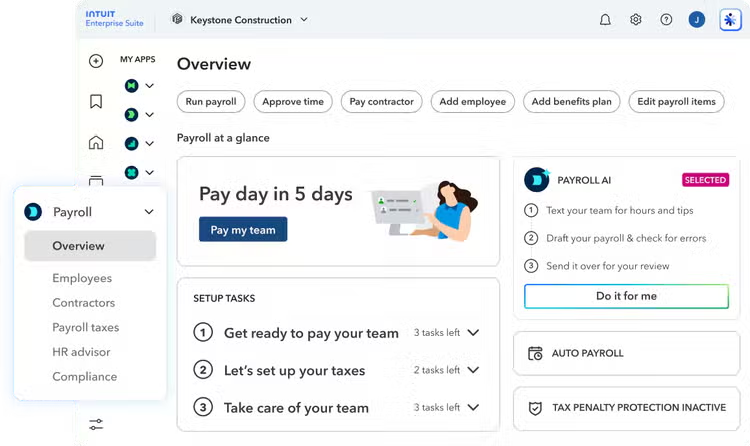
Pay your team, file and pay payroll taxes automatically, and keep everything in sync with your books. QuickBooks Payroll handles the details so you can get back to business.
Payroll that does the heavy lifting
From the first paycheck to year-end taxes, QuickBooks Payroll automates the busywork so paying your team is quick, accurate, and stress-free.

Run payroll automatically
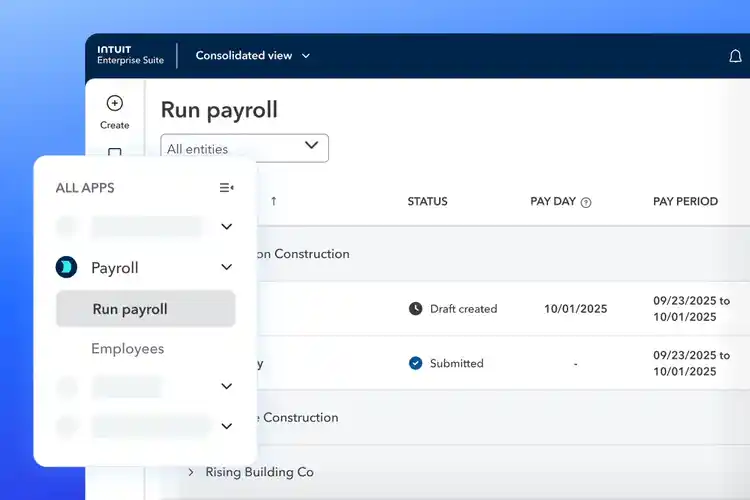
Set it once and let QuickBooks run payroll on schedule. Review, approve, and you’re done—or turn on Auto Payroll and skip the review entirely.

Pay your team their way
Send money by next-day or same-day direct deposit, or print checks. Employees get paid on time, every time.

Taxes filed and paid for you
QuickBooks calculates, files, and pays your federal and state payroll taxes automatically—backed by our tax penalty protection.**
Everything you need to pay your team
Spend less time on payroll admin and more time growing your business.

Set up in minutes, not days
- Add employees and let them enter their own info and direct deposit details
- QuickBooks guides you step by step through setup
- Switching providers? We’ll help move your data and year-to-date totals

Payroll that syncs to your books
- Every payroll run posts to QuickBooks automatically
- Wages, taxes, and deductions map to the right accounts
- No double entry, no month-end surprises
Track time and get it into payroll
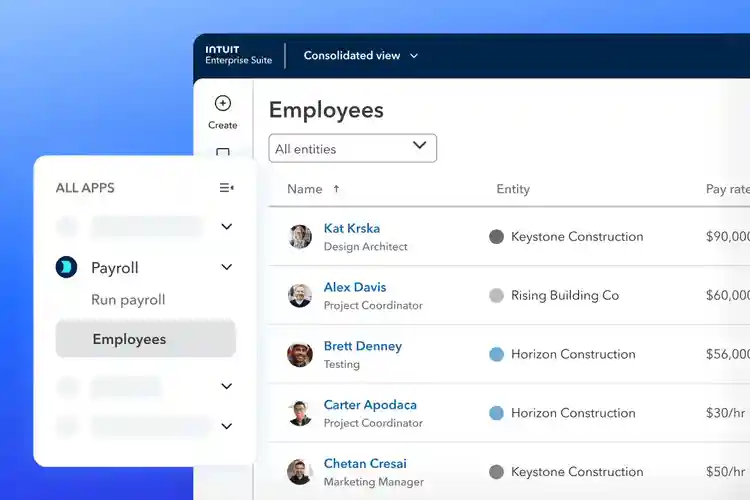
- Employees clock in and out from any device
- Approved hours flow straight into payroll
- Pay hourly, salaried, and contractors in the same run
Automatic payroll taxes and forms
- Federal and state taxes calculated, filed, and paid for you
- Year-end W-2s and 1099s prepared automatically
- Stay compliant without tracking deadlines

Health benefits and workers’ comp
- Offer your team affordable medical, dental, and vision
- Manage workers’ comp with pay-as-you-go premiums
- Give employees a self-service portal and mobile app
“I run payroll in about five minutes now. Taxes get filed automatically, so it’s one less thing keeping me up at night.”
Emily
Owner, Manufacturing company
“Auto Payroll pays my team every two weeks without me lifting a finger. I just get a reminder and check that everything looks right.”
Kobad
Franchise Owner, Mathnasium
“Setup was the part I dreaded, but employees entered their own details and QuickBooks moved my year-to-date totals over. I was running payroll the same week.”
Monica
Office Manager
GET STARTED
Try QuickBooks Payroll free for 30 days
Set up your team, run your first payroll, and see how much time you save—no commitment. Need a hand? Our payroll experts can set everything up for you.
Frequently asked questions
Money movement services are provided by Intuit Payments Inc., licensed as a Money Transmitter by the New York State Department of Financial Services. For details about our money transmission licenses, or for Texas customers with complaints about our service, visit https://www.intuit.com/legal/licenses/payment-licenses/.
**Guarantee
Tax Penalty Protection: Only QuickBooks or Intuit Enterprise Suite users with Workforce Elite who have completed expert review of their payroll tax setup and enrolled in e-services for automated tax payments and filings are eligible to receive the tax penalty protection. If you receive a tax notice for payroll taxes paid and filed by Intuit on behalf of your company, and send it to us within 15 days of the tax notice, we will help you resolve it with the applicable tax agency and cover the payroll tax penalty and interest, up to $25,000 per year. You are responsible for paying any additional tax liability you may owe. Additional terms apply. Learn more about tax penalty protection.