
FINANCIAL SERVICES
Clarity across entities
Intuit Enterprise Suite combines multi-entity management, consolidated reporting, AI-powered FP&A, and robust automation—so you can scale with confidence, improve accuracy, and free your team to focus on growth.

Real-time insights for profitable growth
Simplify multi-entity management, make smarter decisions with AI insights, and plan for growth with advanced FP&A tools—all from one connected platform.
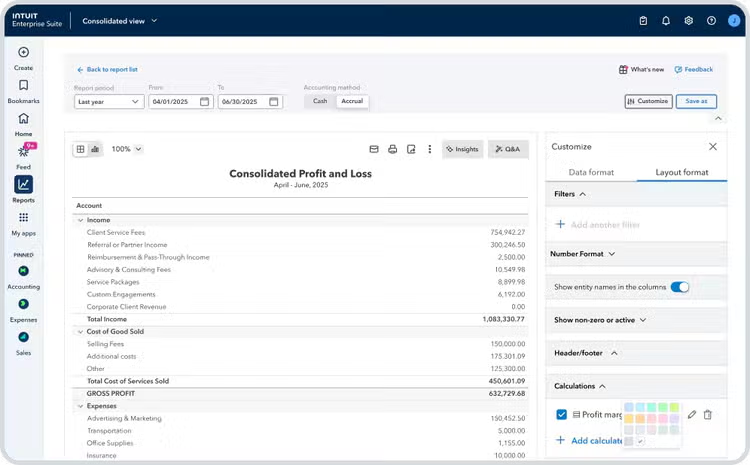
Grow your multi-entity portfolio
- Gain real-time visibility into performance across all entities with consolidated reports and key metrics
- Automate routine A/R and A/P tasks with rules for approvals, reminders, and transaction matching
- Create flexible, investor-ready reports with up to 20 customizable dimensions tailored to your firm
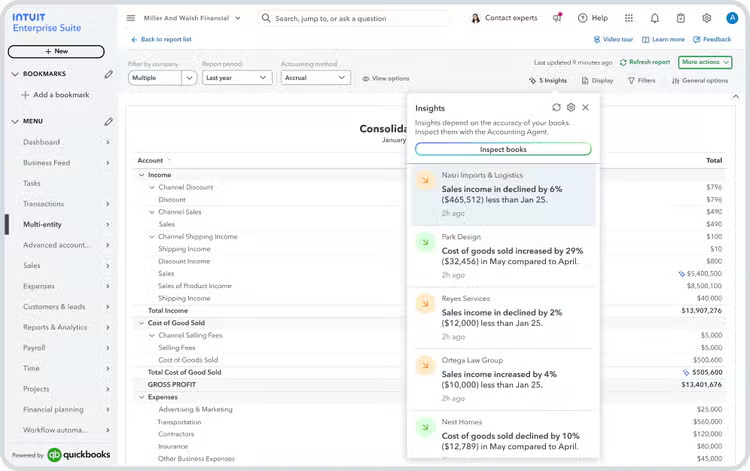
Make profitable decisions, confidently
- Identify changes in performance with AI-powered insights that highlight trends and anomalies in real time
- Monitor KPIs across entities with scorecards for profitability, cash flow, liquidity, and efficiency
- Spot trends and benchmark performance for a complete view of your financial health
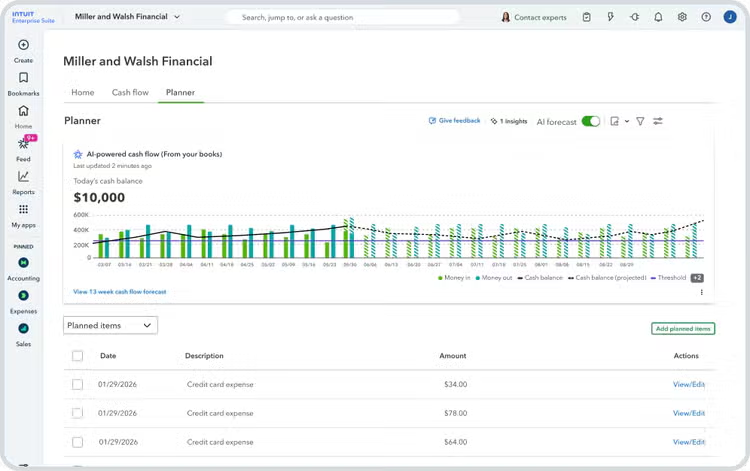
Level up forecasting and planning
- Use dimensional forecasts to project revenue, expenses, and profit by fund, region, or service
- Anticipate short-term needs with a 13-week cash flow forecast based on intelligent predictions
- Integrate P&L, balance sheet, and cash flow statements with 3-way forecasting to make informed decisions for growth
Intuit Enterprise Suite gives me peace of mind. It gives me the data I need to make the right decisions with my team, so we can shape strategy and keep growing.”

Josh Daneshforooz
Co-Founder & CEO at Lango
The multi-entity journal entry functionality was just an immediate cost-saver off the bat. It's a lot of small minutes that add up. Almost immediately, [we] uncovered efficiency improvements and improved the financial data we have available for decision-making.”

Keaton Trager
FEFA Financial CFO
Intuit Enterprise Suite is built on the framework of QuickBooks, so it's familiar, very powerful but easy to use, and most importantly, affordable. Now I have multiple entities but under one environment.”

Brian Sergio
Managing Partner at Tranex Consulting
Manage all your companies on one platform
Automate workflows, cut overhead, and see portfolio performance in real time—so you can save time, reduce risk for your firm, and drive profitable growth across every entity.
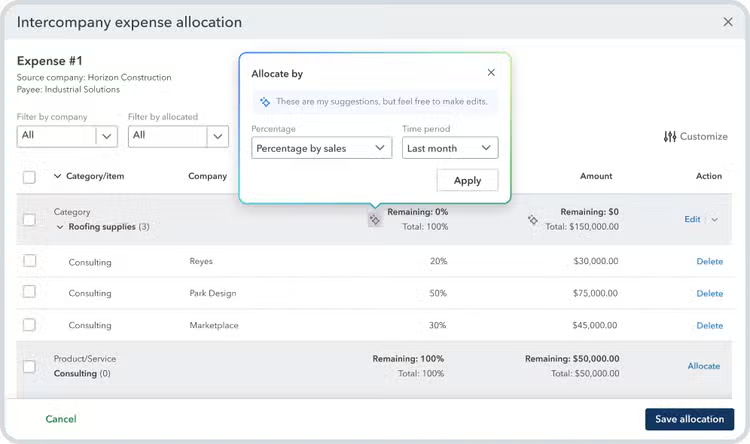
Streamline business processes at scale
- Automate intercompany transactions and allocations to save time and ensure accuracy
- Use Intuit’s AI agents to handle routine financial tasks, from accounting to financial planning
- Standardize your chart of accounts and optimize dimensions across entities with the power of AI

Save time and money on one scalable platform
- Connect finances, payroll, payments, workforce, and marketing in one unified system
- Manage multiple entities, users, and locations from a single, connected hub
- Handle high-volume transactions with faster page loads and batch-job processing

Seamlessly migrate your data
- Make the suite your own with custom data migration and integration support for QuickBooks customers
- Onboard fast with a custom setup plan, data migration, and integration support
- Fully leverage the Suite with close guidance from your customer success manager
Resources for firms like yours




Frequently asked questions
Money movement services are provided by Intuit Payments Inc., licensed as a Money Transmitter by the New York State Department of Financial Services. For details about our money transmission licenses, or for Texas customers with complaints about our service, please visit https://www.intuit.com/legal/licenses/payment-licenses/
#Claims
- Get paid faster: Get paid 5 days faster on average when you send invoice reminders with Intuit AI: Based on U.S. Intuit Assist Beta customers using outstanding invoice notifications and AI-drafted invoice reminder features, compared to customers sending standard invoice reminders to the same customers, from January 2024 to August 2024. Not available in QuickBooks Online Advanced.
- Finance Agent: 74% of customers say Intuit AI gives them a better picture of their business's financial health: Based on a survey commissioned by Intuit of QuickBooks Online customers using Intuit Assist as of November 2024.