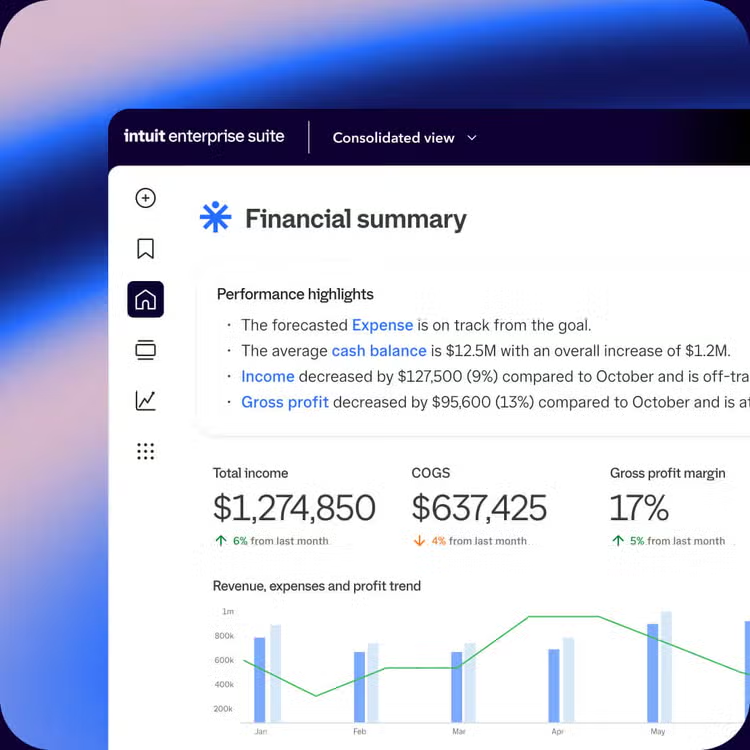
QuickBooks Desktop migration
Keep what you love.
Scale past Desktop.
Manage every entity from one login with the key Desktop workflows you rely on, now in Intuit Enterprise Suite, with a dedicated team guiding migration.**






Your data moves with you. Your business keeps running.
From your first call to your first close, migration is planned, guided, and tested before you go live.

Get expert-led setup, not generic support
Your Implementation Consultant is an accountant or credentialed bookkeeper guiding your first close.

Verify your data before you switch
Get a private sandbox loaded with your data to check your numbers match before you go live.

Migrated from QuickBooks Desktop
"Intuit Enterprise Suite has allowed us to close our fiscal year end at least 3 months faster than previous years. For a company of our size, having that data sorted and finalized by January is a massive win for our tax planning and strategy."*
Beau Beck
President and Owner, Elton R Construction
You told us what mattered. Experience the updates.

New look. Same setup underneath.
Your key data, reports, and workflows carry over with your Customer Success Manager helping your team get up to speed.

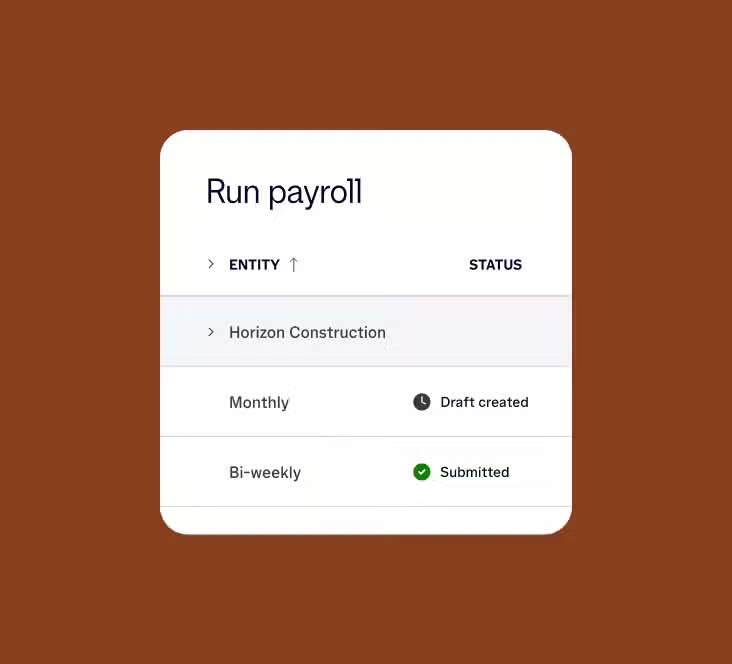
Your payroll holds up
at volume
Certified payroll reports and paycheck corrections are live today, ready for the volume your business already runs.

Maintain reports
without a rebuild
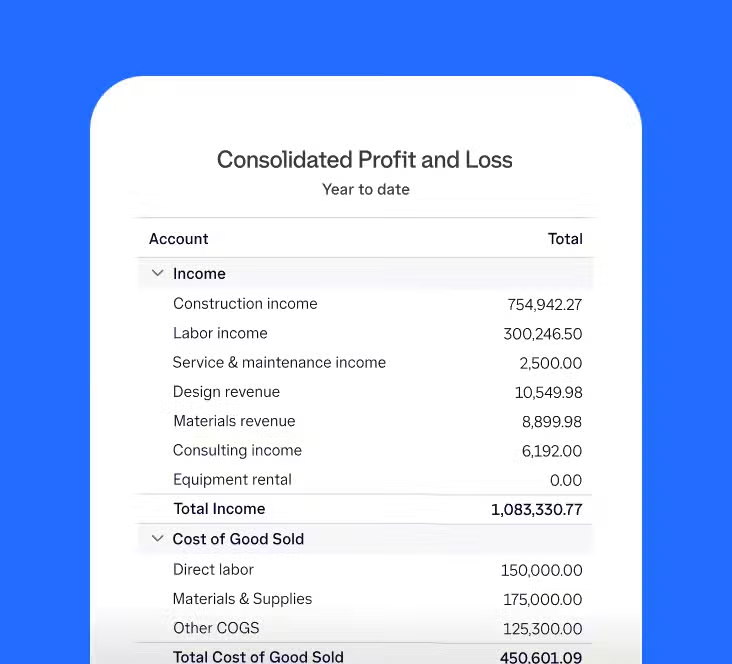
The layouts and filters you built stay put. Your reporting doesn't start from a blank page, the way legacy ERPs would force you to.

A connected view for all money movement
Create custom invoices, automate billing, and make payments faster from one connected system instead of separate tools.
Manage the operational scale that outgrew Desktop

Review and approve from wherever you are
Reports, transactions, and entities stay accessible on any device so you can make decisions in the moment.

Decide who accesses what by entity and role
You, your team, and your accountant work in the system together, with the permissions you set for each role.

Work from the most current numbers
Bank feeds and connected apps update automatically, giving you a current view instead of last month’s snapshot.
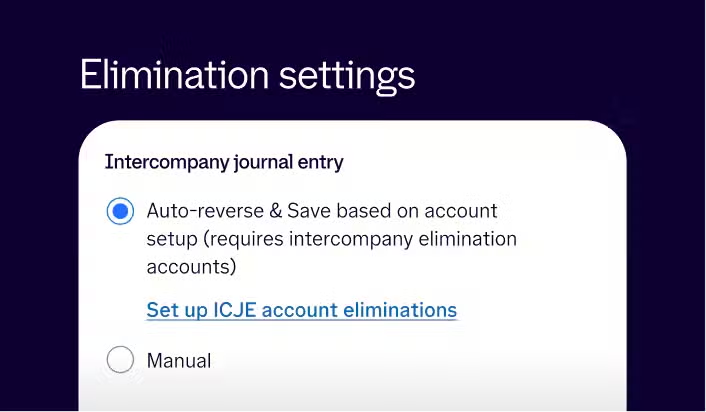
Multi-entity management
Replace switching between company files with one view
Every entity shares one chart of accounts, with eliminations handled automatically. The time that used to go into matching numbers goes toward running the business instead.
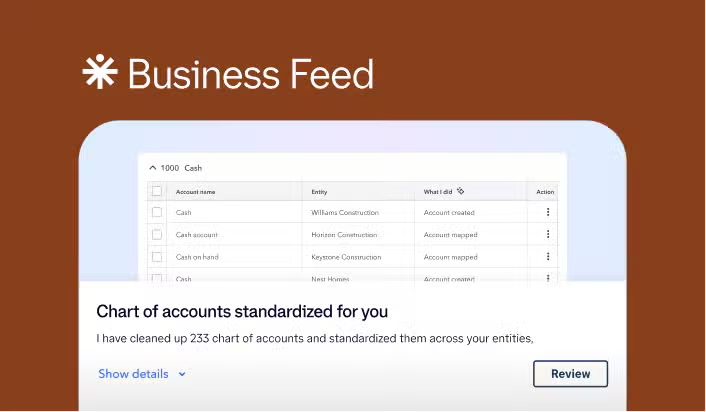
Automated workflows
A close that took days on Desktop now takes minutes
Reconciliations, AP workflows, and anomaly detection run in the background to catch issues early. Your team skips manual entry to focus on resolving flagged items.
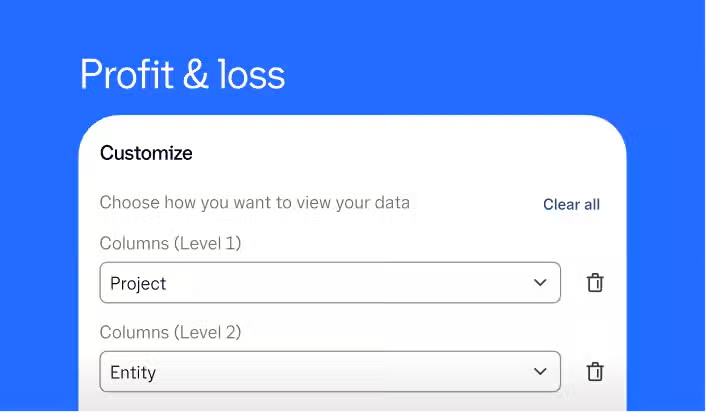
Real-time reporting
Control every report, from wherever you're working
Set your own subtotals and grand totals, and filter by project, entity, or tag, instead of rebuilding the view in Excel. Check those numbers from home, the job site, or anywhere else.
Industry workflows, included from the start
Get the tracking, rules, and reporting your business needs to operate without the manual workarounds.

Catch margin loss before each job closes
Automate the WIP schedules you used to rebuild in Excel—catching job cost overruns while there’s still time to act, with consolidated reporting across every entity.



Turn 500+ class codes into one governed system
Track restricted funds, grants, and programs from one system eliminating bloated class lists, manual Statement of Functional Expenses workarounds, and audit risks.



Cost every product, from BOM to build
BOM costing, production runs, and purchasing connect in one workflow. COGS reflects your full landed cost, labor and materials included.


Desktop migration story
15 years of financial history. All of it, migrated.
With the scale at which we have grown, which is more than double, I didn't need to hire more people. All in all, we’ve saved well into the mid-six-figure range with Intuit Enterprise Suite.”*
Anand Gupta
CFO, Verve Coffee Roasters

Everything your accountant needs, already here
Implementation consultant
Your setup matches how your accountant works
Your Implementation Consultant maps your chart of accounts and historical data using the same structure your accountant already relies on for close and tax prep.
Customer success managers
One point of contact, no handoffs
Your Customer Success Manager stays with you well past go-live, so your accountant works with the same person every time something comes up.
Your setup, migrated
Your data comes with you on a confirmed timeline
Your core financial data, chart of accounts, and workflows come with you. 95% of Intuit Enterprise Suite customers are set up in less than 30 days.¹

An accountant's perspective
“Intuit Enterprise Suite is the solution that finally kills what we call the 'technological lull.' You get the sophistication of a high-end ERP with the best-in-class user interface, all for a very low total cost of ownership.”*
Scott Franchini
Partner, RedHammer
RedHammer is the largest construction-focused accounting services firm in the U.S., managing 135+ client entities.
Assess your fit
Schedule a 15-20 minute discovery call
We’ll learn how you use Desktop today, identify where it’s falling short, and confirm whether Intuit Enterprise Suite is the right fit.
Money movement services are provided by Intuit Payments Inc., licensed as a Money Transmitter by the New York State Department of Financial Services. For details about our money transmission licenses, or for Texas customers with complaints about our service, visit https://www.intuit.com/legal/licenses/payment-licenses/.
**Features
Data migration: Data migration is currently available for a limited time at no additional cost only to existing QuickBooks Desktop or Enterprise customers who are migrating to Intuit Enterprise Suite. A consultation is required. Some data may not be eligible for migration. Pricing, terms, conditions, special features and service options are subject to change without notice. Additional data migration services may be available at additional cost through third-party partners.
*Testimonials
Customer results are based on their unique experiences and may not be representative of all customers. Individual results may vary.
#Claims
1. Set up in less than 30 days: Based on internal data of existing QuickBooks customer onboarding and feature adoption activity. Actual timelines vary by business complexity.